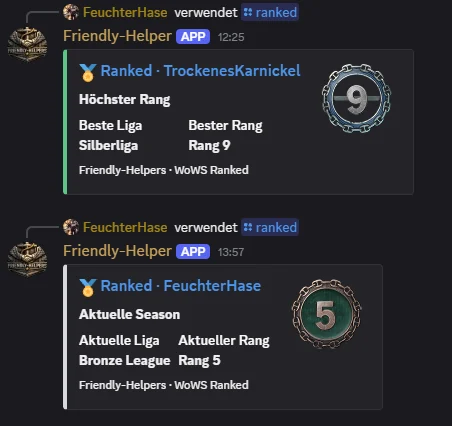
Ranked progress is already part of the Friendly Helpers player profile. The new /ranked slash command now opens that same information directly in Discord: compact, quick and linked to the detailed website view.
Select a player directly
After you enter /ranked, the bot suggests matching players through autocomplete. There is no need to type the full name from memory.
Current or best rank
For the selected player, you can display either their current Ranked progress or the highest rank they have ever reached. The Discord embed shows the league, rank and corresponding rank badge.
From Discord straight to the profile
The message title links directly to the Ranked section of the player's Friendly Helpers profile. Discord provides the quick overview, while the website has room for more detailed figures.
The new command adds another connection between the bot and website: take a quick look in Discord, then open the full profile if you need more.
For now, we are collecting feedback on the new Logbook in the Friendly Helpers Discord.