Friendly-Helpers

WORLD OF WARSHIPS DISCORD BOT
COMPARE. ANALYSE. IMPROVE.
PLAYERS. SHIPS. CLANS.
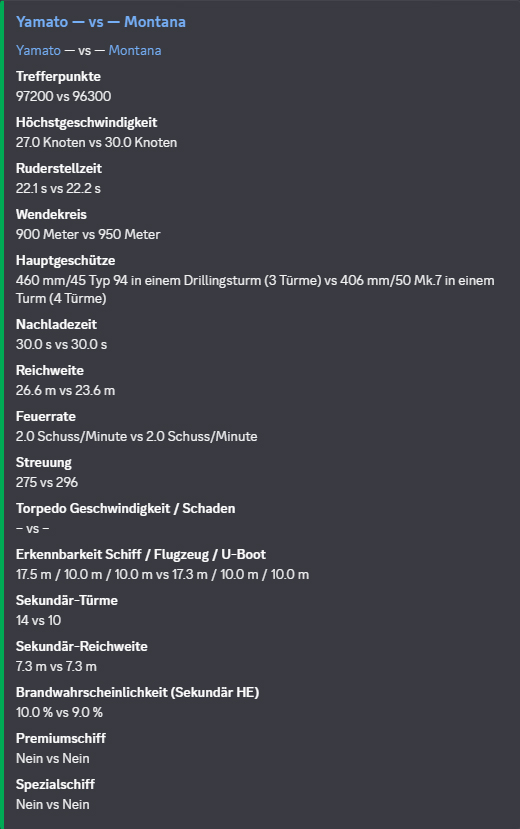
Ship comparison in the Friendly-Helper Discord bot
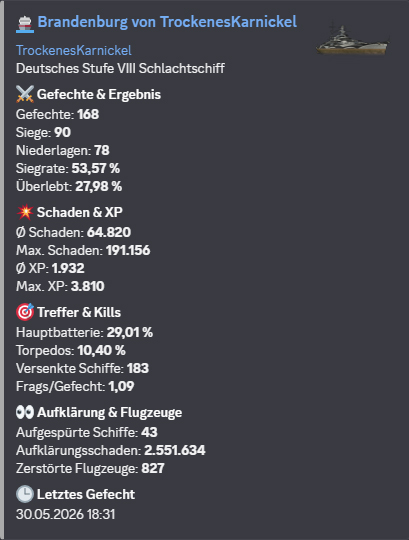
Ship statistics in the Friendly-Helper Discord bot
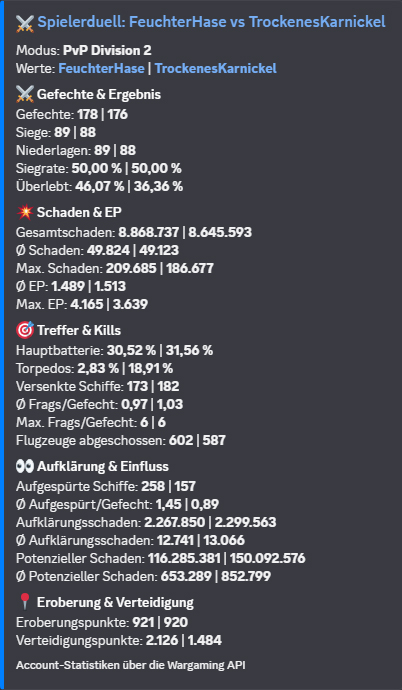
Player duel in the Friendly-Helper Discord bot
Free to use: Wiki, WoWS data, player and clan analyses, and all bot commands. No paywall, no trial.
504,073+ Player profiles
1,214+ Ships
64,316+ Clan profiles
42+ Slash commands

Clan Tools

Clan rankings, leaderboards, member overviews and performance metrics directly in Discord.

  • Clan rank
  • Leaderboards
  • Clan profiles
  • Member overviews

Comparisons & Analysis

Compare players and ships, analyse hit rates, and identify strengths and weaknesses at a glance.

  • Player duels
  • Ship comparison
  • Hit rates
  • Performance analysis

Database & Profiles

Dedicated WoWS database with player, ship and clan profiles, including website integration.

  • Player profiles
  • Ship data
  • Clan profiles
  • Website integration

Stats and Notifications

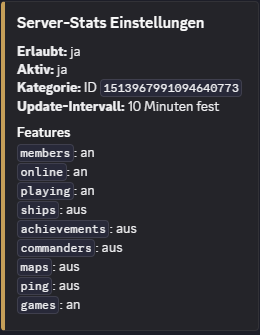
Server Stats

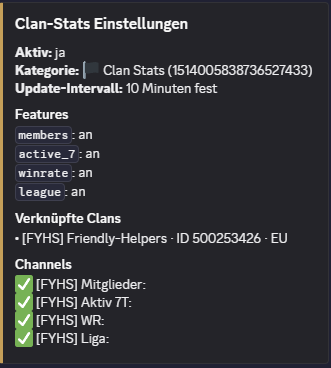
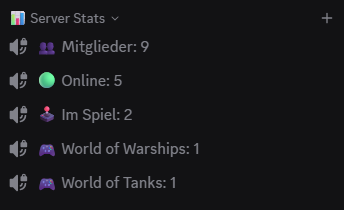
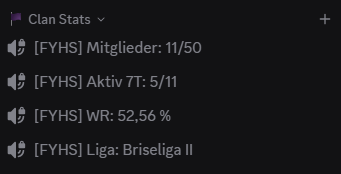
Automated Discord statistics shown as locked voice channels. Members, online status, clan activity, win rate and league are always visible.
Notifier

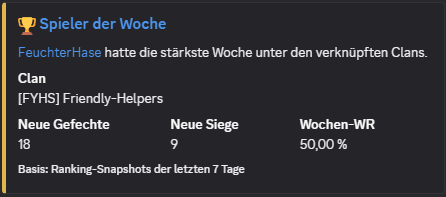
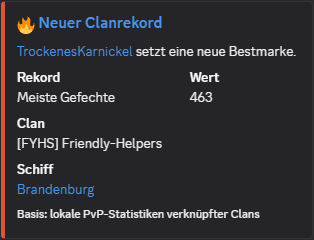
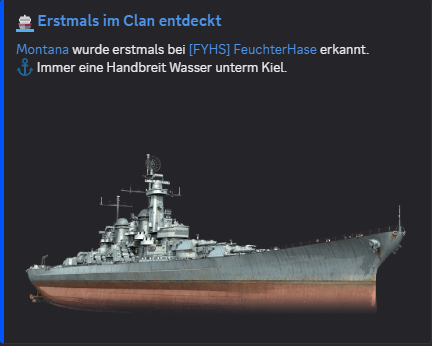
Posts clan activity such as new members, departures, new ships, weekly climbers, player of the week and new clan records only when something has actually changed.
Bot Commands

The Friendly-Helper bot brings a complete WoWS toolkit directly to Discord: ships, players, clans, rankings and web links.

Bot Command Catalogue

The Friendly-Helper bot now brings a complete WoWS toolkit directly to Discord: ships, players, clans, rankings, server stats, Notification Center and web links. The new demo mode can show selected commands with suitable random values in a dedicated channel. It stays disabled per server until an admin has checked the channel, data sources and a test post.

37 Slash Commands
9 Notification Modules
2 Default Channels
9 Player Analyses
6 Ship Tools
5 Admin Systems
/info <Schiff> Shows compact ship data with an image, armament, consumables and a direct link to the ship detail page.
/liste [Nation] [Klasse] Lists ships, optionally filtered by nation and class. Perfect when you want to see what is available without a long search.
/vergleich <Schiff1> <Schiff2> Compares two ships using their technical values, including a direct link to the web analysis. Two ships, one clear fact check.
/zufallsschiff Selects a random ship and shows its details. For anyone who cannot decide what to sail next.
/schiffstats <Spieler> <Schiff> Shows a player's statistics for one specific ship and links to the new web analysis. Your Yamato, your numbers, no excuses.
/schiffduell <Spieler1> <Spieler2> <Schiff> Compares two players' performance in the same ship and links to the detailed analysis. Who really sails the Tirpitz better?
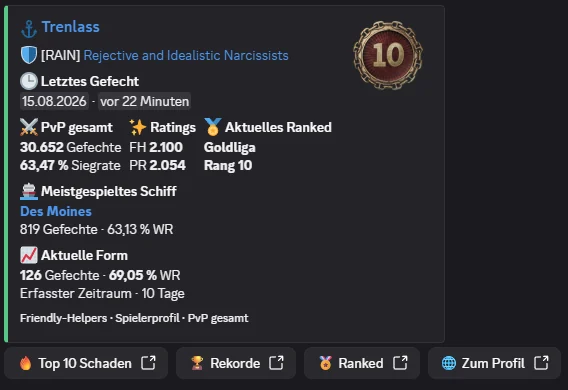
/profil <Spieler> Shows a compact player card with PvP stats, FH and PR ratings, current Ranked rank and most-played ship. Direct profile links jump to Top 10 Damage, Records and Ranked.
/mystats <Spieler> <Modus> Shows player statistics for PvP and Co-op, including solo play and the available divisions, plus Operations as one combined total. Your WoWS numbers, neatly sorted instead of hidden somewhere in a browser.
/spielerduell <Spieler1> <Spieler2> <Modus> Compares two players in a selected statistics mode. A direct player check without switching tabs or copying and pasting.
/top_schaden <Spieler> Shows a player's top 10 ships ranked by their highest damage in a single battle. For the big numbers you may secretly be proud of.
/hits liste <Spieler> [Nation] [Klasse] [Anzahl] Shows hit rates and advanced ship values as a private list, sortable by battles, damage, last battle or alphabetically.
/meineschiffe <Spieler> [Nation] Shows the ships played by a player, including the last battle. Your fleet at a glance, sorted by activity.
/rekorde <Spieler> [Modus] Shows personal records for PvP and Co-op—overall, solo and in the available divisions—plus Operations as one combined total. Operations show average XP, battles and win rate; ship win rate counts from 50 battles.
/errungenschaften <Spieler> Shows a compact overview of how many different achievements a player has and how many have been earned in total.
/expert player <Klasse> <Spieler> Shows a player's E, Class 1, Class 2 or Class 3 badges, including a random ship selection and a direct link to the ship list.
/clanmitglieder <Clan> Shows clan members with their role and last battle. Who is active, who leads and who played most recently?
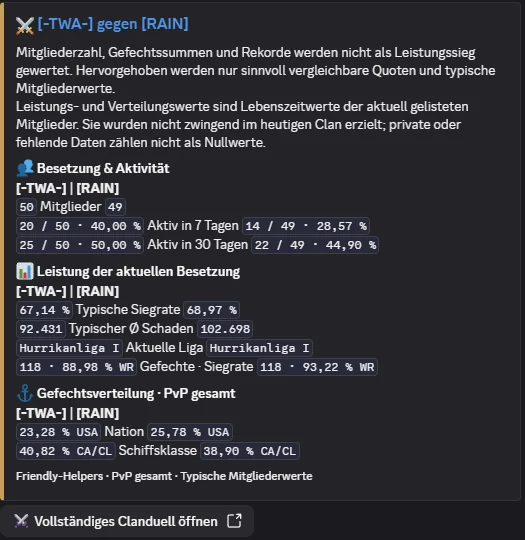
/clanduell <Clan 1> <Clan 2> Compares two clans fairly by activity, typical member performance, league and PvP profile, with the full details available on the website.
/leaderboard <Clan> <Sortierung> [Min. Gefechte] Creates a top-10 clan leaderboard using the selected sort order. Sort by win rate, damage, battles, XP or scouting values for a clan comparison at the press of a button.
/clanrang <Clan> <Spieler> [Min. Gefechte] Shows a player's personal rank within a clan. One command tells you exactly where you stand in the clan.
/clanrekorde <Clan> Shows the six clan records from the website as a Discord embed, including the related players and ships.
/clanwars Shows the top 5 of the EU Clan Wars leaderboard as an embed with a button linking to the full website.
/spieler-rankings Shows the top 5 player rankings from the Friendly-Helpers index with links to profiles and clans.
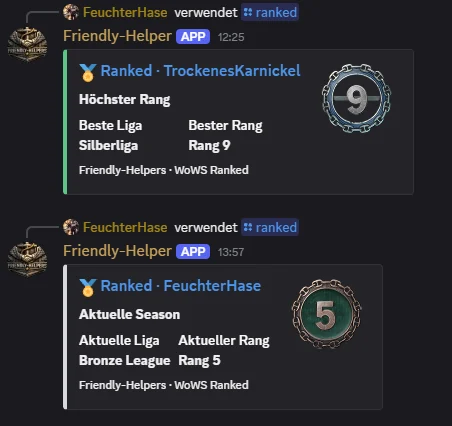
/ranked <Spieler> <Aktuell | Höchster Rang> Shows the current or highest-ever Ranked league, rank and official rank badge. The title links directly to the Ranked section of the player's profile.
/schiffs-meta [Tier] [Nation] [Klasse] [Min. Gefechte] [Sortierung] Shows the top 5 server-wide ship meta entries by FH rating, battles, players, win rate, damage or XP. Filters for tier, nation and class are carried over to the web view.
/patchradar Shows the latest published Patch Radar comparison with the WoWS versions, counts of new and changed ships, and a link to the full web view.
/clan-rankings Shows the top 5 clan rankings from the local index and links to the complete ranking page.
/notifications setup [erstellen] Checks the notification channels or creates the default Friendly-Helper section with #schiff-des-tages and #clan-logbuch.
/notifications kanal <Modul> <Channel> Sets the target channel for each module. This lets Schiff des Abends use a different channel from clan records, new members or the weekly climbers.
/notifications an | aus <Modul> Enables or disables individual modules. The administrator decides what is actually allowed to post on the server.
/notifications clan-hinzufuegen <Clan> Links clans for notifications only, independently of the clan statistics voice channels. Autocomplete helps with the tag, name or clan ID.
/notifications status | liste | clans Shows the configuration, available modules and linked notification clans. Useful before anything is enabled live.
/notifications test <Modul> Sends a sample post to the configured channel. The test deliberately omits @everyone so nothing gets out of hand during setup.
Schiff des Abends Posted daily at 18:00 with ship data, sigma, links for nation, class and tier, plus a button for a direct ship comparison.
Clan-Logbuch Posts clan activity such as new members, departures, new ships, weekly climbers, player of the week and new clan records only when something has actually changed.
/karte <Karte> Shows details about a specific map. Map information directly in the chat without a long search.
/karten Lists the available maps from the local data source. Every map at a glance, quick and easy to retrieve.
/kommandant <Name> Shows details about a specific commander. Find the right captain without getting lost in menus.
/kommandanten <Nation> Lists commanders from a selected nation. All available commanders sorted by nation.
/serverstats status | aktivieren | deaktivieren | feature | kategorie Manages automatic server statistics channels. Features such as members, online users, games, ships, maps, commanders, achievements and ping can be toggled individually.
/clanserver hinzufügen | status | entfernen | aktualisieren Links WoWS clans to a Discord server, shows stored clan links and updates clan data.
/clanserverstats status | aktivieren | deaktivieren | feature Manages automatic clan statistics channels for linked clans, including members, activity over the last 7 days, win rate and league.
/demomodus status | kanal | quelle | intervall | feature | test | aktivieren | deaktivieren Shows selected bot commands automatically with suitable random values. Players and clans can come only from linked clans or from the public web data; a successful test post is required before activation.
Note Statistics channels are created as locked voice channels. After a reinvite, the bot cleanly skips old channels it can no longer access instead of interfering with server structures it does not own.
/help Shows all important commands and examples. The best starting point when you want to know what the bot can do.
/aboutme Shows a short overview of the Friendly-Helper bot: what it does, where the data comes from and why it is useful.

Why our bot?

  • No more switching tabs: WoWS data directly in Discord
  • Compare players, ships and clans in seconds
  • Our own database instead of loosely assembled individual values
  • Leaderboards, rankings and detail pages cleanly linked
  • Runs on its own VPS with watchdog and monitoring
  • Slash commands that work right in the conversation