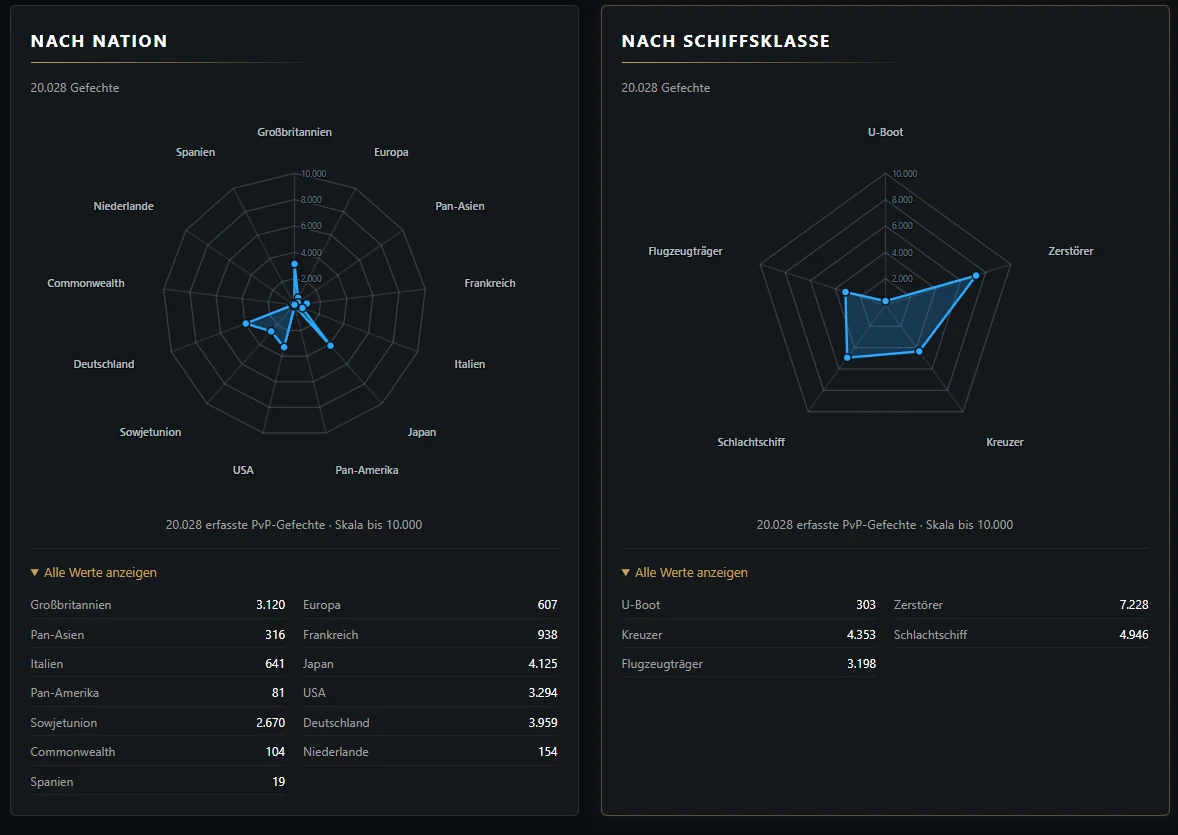
Ship and player profiles now offer new direct routes through the existing data. Ship pages show their position in the relevant Tech Tree line, while player profiles reveal how PvP battles are distributed across nations and ship classes.
The Tech Tree line beside the ship image
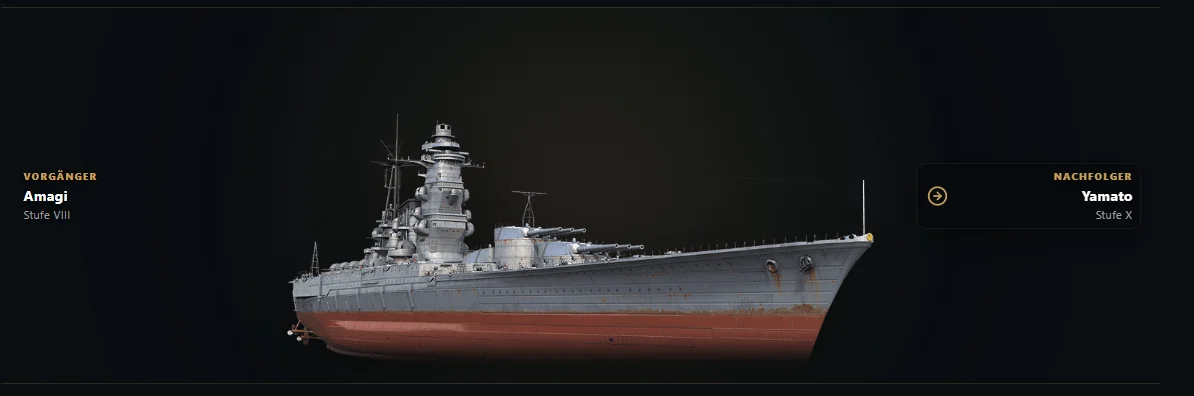
On a ship detail page, possible predecessors appear to the left of the large ship image and successors to the right. A click takes you straight to the relevant detail page. You can therefore follow a line forwards or backwards without first returning to the general ship database.
The links are initially subtle and blend into the image. Hovering reveals the familiar dark tooltip area with a directional arrow. The text moves only slightly towards the centre of the image, keeping the association clear even on small cards.
Branches remain fully visible
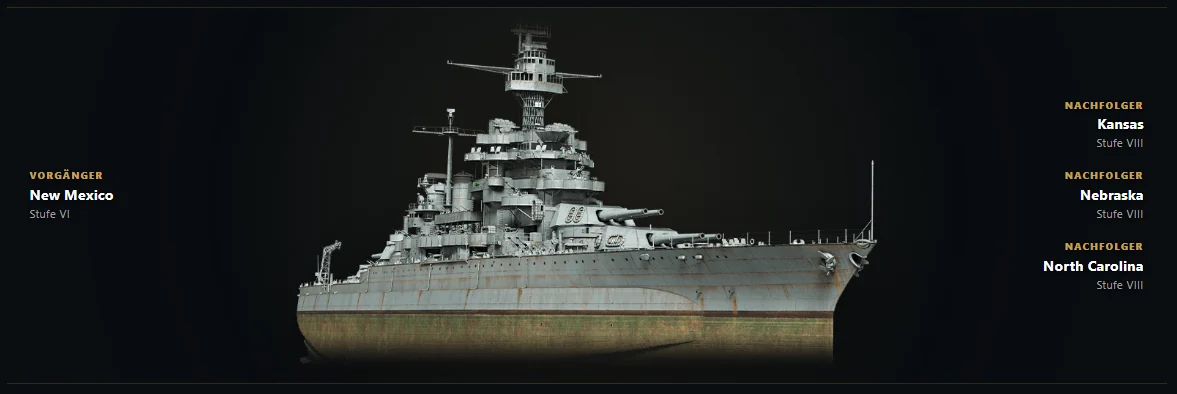
Not every Tech Tree line leads to just one ship. If several successors are possible, all available routes are shown one below another. Colorado, for example, links to Kansas, Nebraska and North Carolina, while New Mexico remains on the left as its predecessor.
Edge cases also keep their fixed direction: if a Tier I ship has no predecessor, its sole successor still remains on the far right. On smaller screens, the links are arranged beneath the ship image.
Faster access to the important ship sections
The ship detail page now also uses the same compact anchor navigation already familiar from player profiles. It links to ship data, consumables, upgrades and recorded players. On wide screens, it appears to the left of the content; on smaller devices, it remains accessible as a compact row of links.
Battle distribution in the player profile
Below the ratings, two new radar charts show how a player's recorded PvP battles are distributed. The first chart assigns battles to nations; the second to the five ship classes. Both use the same automatically adjusted scale so that the areas remain directly comparable.
Individual points can be inspected using the mouse or keyboard. All values can also be expanded as a list below each chart. If older ship rows no longer have current nation or class information, the page openly identifies that remainder instead of assigning it to the wrong axis.
Prepared rather than fetched again
For Tech Tree lines, the regularly updated local ship data is enriched with the required links during the data build. The radar charts use the same ship values already loaded for the player profile.
Neither expansion therefore requires additional data retrieval during the page visit. Navigation and charts are available alongside the rest of the profile, extending the existing detail pages without making them unnecessarily harder to use.
You can try the new routes directly through the ship database and player search.